Overlay, asset, chatbot, CCV… A glossary of Twitch branding terms for brands
You’re planning your first influencer campaign on Twitch. You talk to your agency, and within ten minutes you hear terms like “overlay,” “asset,” “CCV,” “stinger,” “chatbot,” and “live views.” But you’re not sure you understand it all.
Twitch has its own unique lingo, rooted in streaming culture and the world of video games. And unlike YouTube or Instagram, there are virtually no resources that explain this vocabulary from a brand’s perspective.
This guide is for you! Each term is explained as simply as possible, along with what it means in practice for a gaming influencer campaign.
Visuals & Branding
Asset
An "asset" refers to any graphic element created to enhance a campaign: overlays, banners, transition screens, contest visuals, billboards, emotes, and so on. It’s the umbrella term that covers everything else. In short, it’s everything you see on screen that isn’t the game itself.
When an agency refers to "asset delivery," it means providing the designer with all the graphic files before the campaign begins.
Overlay
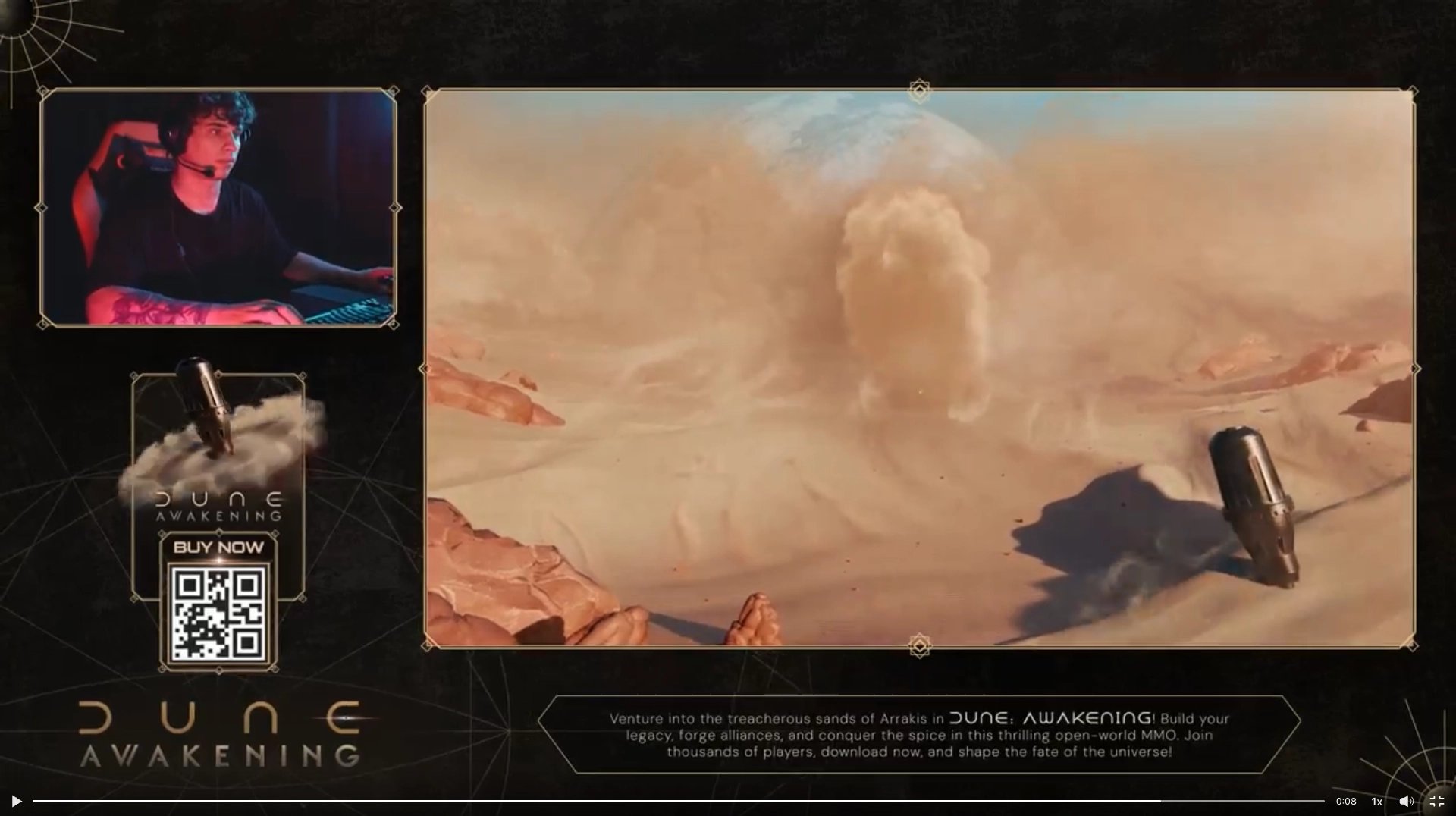
An overlay is the animated graphic layer displayed on top of the stream's content. It's what you see around the creator's webcam, around the gameplay area, or at the bottom of the screen: frames, information bars, animations, and logos.
As part of a campaign, the overlay is the primary tool for visual branding on Twitch. Your logo, colors, and graphic elements can be integrated directly into the streamer’s overlay for the entire duration of the campaign. Every viewer watching the live stream sees your brand.
That's what makes overlays so powerful: they create a continuous visual impression, regardless of what the creator is saying at that moment.
At The Node, we also create custom overlays for campaigns, designed to match the brand’s visual identity. This is a key differentiator: most agencies don’t offer this level of visual customization. For example, here’s what we produced for Dune: Awakening and Marvel Rivals : overlays created entirely in-house, specifically for each campaign, to make activations more immersive and consistent with the universe of each game. This is the type of service that many agencies don’t offer—one that we handle entirely ourselves and have validated at every stage by the brand itself.
Panel
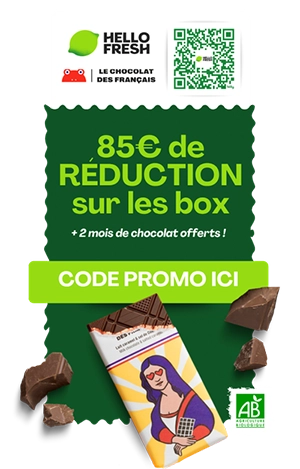
Panels are the information blocks displayed below the Twitch player on a creator’s channel page. They’re used to introduce the creator, their social media accounts, and their sponsors, or to display a link to your product.
In a campaign, a custom panel for your brand ensures a constant presence on the channel, even outside of streaming hours.
At The Node, the graphic design of the panels is integrated into the campaign production: each panel is custom-designed to match the brand’s colors, ensuring perfect visual consistency between the live stream and the channel page. This is the case for HelloFresh and Factor, for example, for whom we create and deploy branded panels across all channels activated for each campaign. This is the type of service that many agencies do not offer—one that we handle entirely and have validated at every stage by the brand itself.
Starting screen
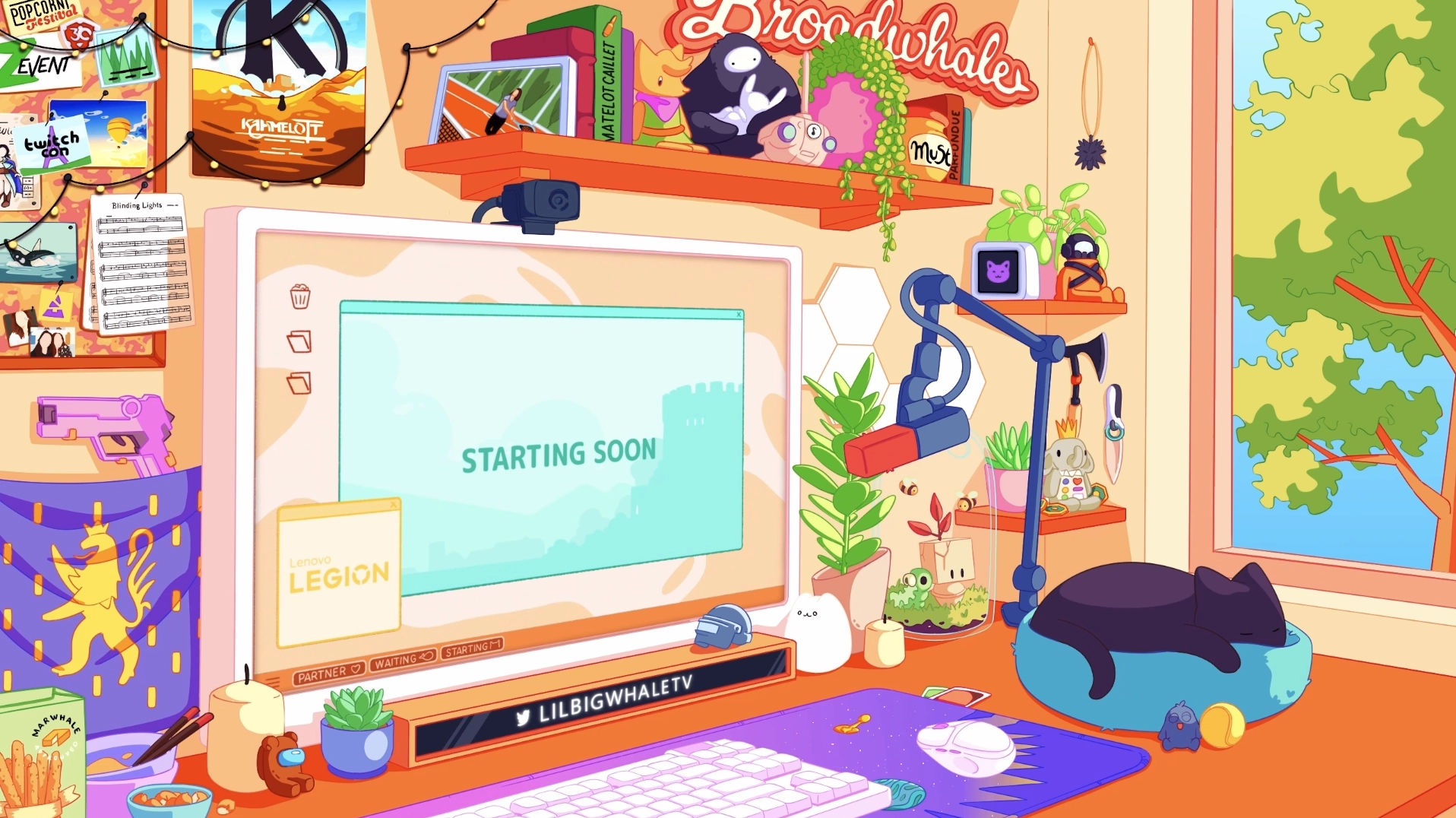
This is the screen that appears before the stream starts, when viewers arrive early. It usually indicates that the live stream will begin in a few minutes.
For a brand, this is an often-overlooked opportunity: your logo or message can be incorporated into this screen. Integrated with the stream title (for example, with a !dune (in the title to indicate an ongoing commercial partnership) the splash screen becomes a real teaser: it builds anticipation even before the creator appears, just like a movie trailer. The most engaged viewers—those who arrive before the creator does—are also the most receptive.
End screen (Live stream end screen)
The end screen is the screen that appears at the end of a stream, when the creator pauses the game but keeps the live stream active to thank their community or announce the next stream.
This is a high-impact moment: the most loyal viewers stay until the very end. A brand image or a thank-you message can be included here.
At The Node, we created custom splash screens and end screens (in addition to overlays and animated widgets) for the launch of Dune: Awakening, immersing viewers in the game’s universe from the very first seconds, even before the live stream began.
Transition screen
A transition screen is a short animation that appears between two scenes in a stream, such as when the streamer switches from the game to their webcam, or when they take a break. It’s sort of like a visual jingle.
Incorporating your brand identity into a creator’s transitions ensures a visual presence with every scene change—which can happen dozens of times per stream. However, this is a rare feature in the context of a campaign: the stinger naturally fits into a comprehensive asset package when the brand already has an overlay, widgets, and activation visuals. A stinger isn’t created in isolation; it’s one of the final elements of a polished graphic production.
Emote
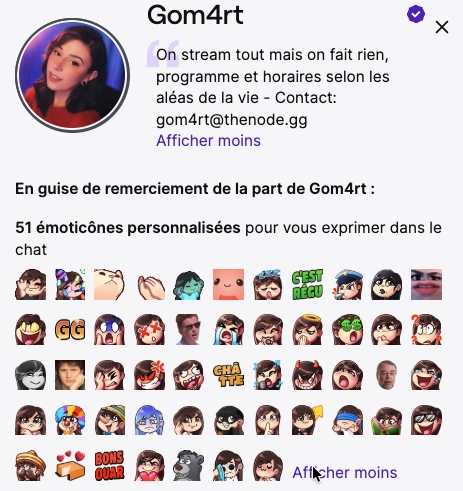
Emotes are a Twitch channel’s custom emojis, used by subscribers in the chat. Much more than just images, they are an integral part of a community’s culture: each emote often has a story, an inside joke, or a context familiar to the channel’s regulars. Using them in the chat is a strong sign of belonging.
They are reserved for the channel’s paying subscribers, with access varying by subscription tier: Tier 2 or Tier 3 subscribers sometimes have access to exclusive emotes that Tier 1 subscribers do not. The higher the tier, the greater the community perks. This gives them strong symbolic value: only the most dedicated members have access to them. For a brand, this is an important detail to understand: a branded emote doesn’t reach everyone; it reaches the heart of the community itself.
For a highly integrated campaign, some brands create themed emojis in partnership with the creator: a character from their game repurposed as a meme, or a visual element of the brand transformed into a community inside joke. This is a powerful tool for fostering engagement, though it’s much rarer than other approaches, as it requires a deep understanding of the creator’s world and their community to avoid coming across as insincere or forced.
Promotional image
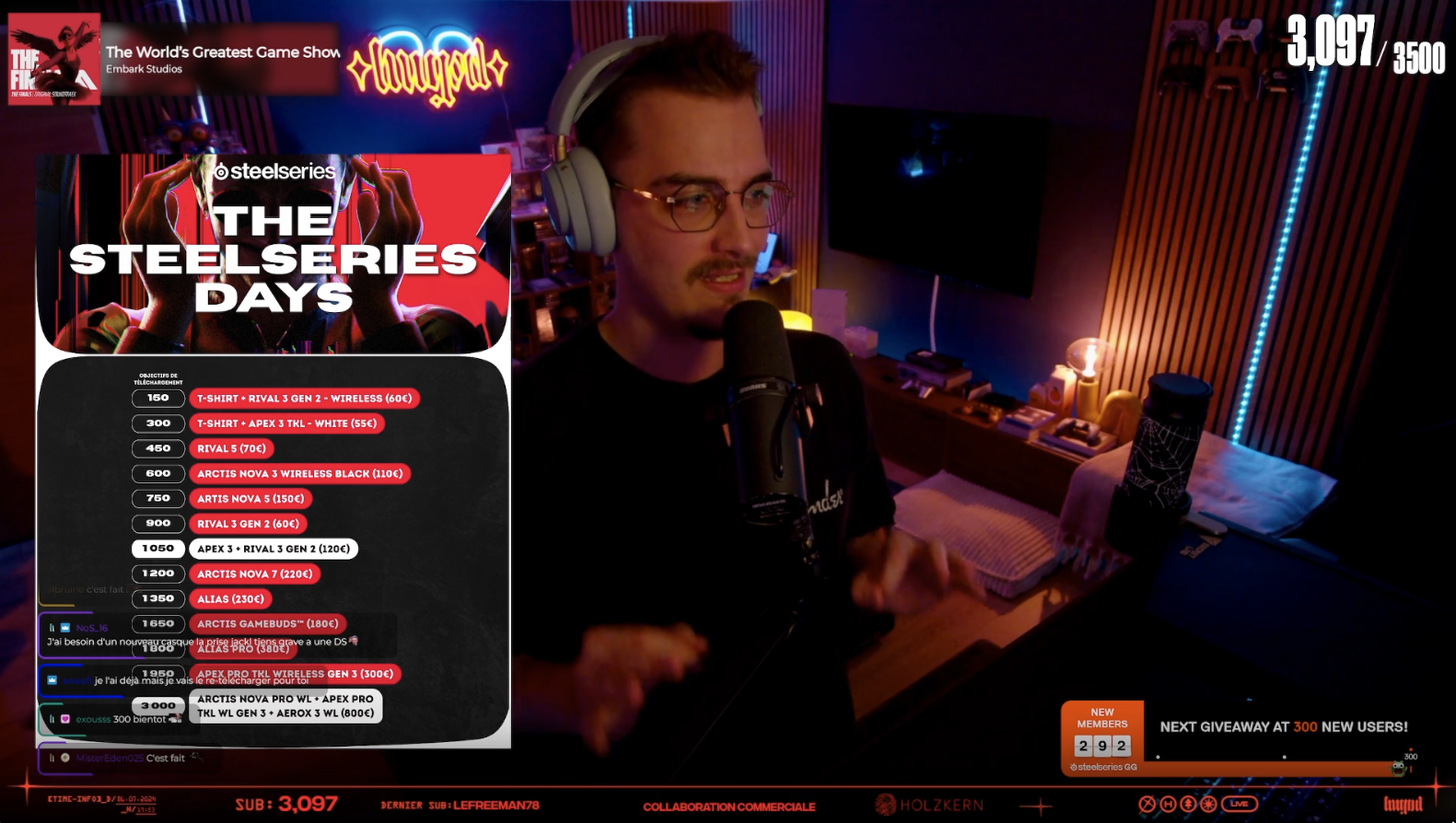
This is a custom-made asset designed to illustrate a specific campaign mechanic—such as a contest, download milestones, or a giveaway. The creator displays it on screen while explaining the mechanics to their community.
Real-life example: during a SteelSeries campaign featuring our exclusive talent HugoDélire, The Node designed a visual displaying milestones for app downloads. Each time a milestone was reached, a viewer was randomly selected from the chat to win a SteelSeries. This visual was displayed in real time while the creator explained the mechanics to the chat, making the promotion clear, easy to understand, and memorable.
Tech & Streaming
OBS (Open Broadcaster Software)
OBS is the software used by nearly all streamers to capture and broadcast their content live. It handles scenes, video sources, overlays, and transitions.
As a brand, you don’t need to be an expert in this, but understanding that OBS serves as the entry point for all visual assets will help you grasp why graphic files must be delivered in specific formats (transparent PNGs, animated WebM files, etc.).
Chatbot
A chatbot is an automated program connected to a creator's Twitch chat. It can send automated messages, moderate the chat, display commands, or trigger actions based on specific conditions.
As part of a campaign, the chatbot can be configured to regularly display a promotional message in the chat, such as a reminder of a promo code, a link to your product, or an announcement about a contest. It’s a subtle yet effective tool for reinforcing your message.
The chatbot also handles custom orders, such as !brand : When a viewer types this command in the chat, they instantly receive the corresponding message, along with the link or promo code. Creators often encourage their community to use it verbally, saying, "Type !dune in the chat to get the link," and their moderators sometimes type the command for those who have questions, creating a natural moment of interaction around the brand.
For example, if you type "!HelloFresh," here's what appears: "Nightbot: Up to €85 off your first 4 boxes + free drinks all summer long with my link: https://tools.thenode.gg/r/funkyy-apero or using my code FUNKYY-APERO—it really helps me out!"
Moderation bot
Unlike promotional chatbots, moderation bots automatically filter chat messages—removing insults, spam, and unauthorized links. They help maintain the quality of the chat during live events. For a brand, a well-moderated chat is essential: a toxic chat during a sponsored integration is bad for your image.
Widget
A widget is an interactive element displayed in the overlay or on the Twitch page: goal bar, subscriber counter, donation alerts, list of recent followers, and more. Widgets are dynamic and update in real time.
In a campaign, a widget can be repurposed in creative ways: a progress bar tracking downloads, a counter for redeemed promo codes, or a personalized alert when a viewer uses your code.
At The Node, we take this format even further. For HelloFresh, for example, we created custom animated boxes that appeared on screen during integrations, reinforcing the brand’s visual identity in a dynamic and memorable way—where most campaigns are limited to a static logo.
Alerts
Alerts are animations that appear on the screen when an event occurs during a stream: a new follower, a new subscriber, a donation, or a raid. These alerts are often both audio and visual, and are part of a channel’s visual identity.
For a brand, they provide insight into how the visual environment of a live event is designed and brought to life, even if they aren't always the main focus of a sponsored campaign.
For the launch of Pragmata with Capcom , for example, The Node designed an interactive challenge animation triggered live with each successful mission: the voice of Cabin, the game’s character, echoed through the stream and congratulated the streamer by their username. It was a moment that extended the game’s universe directly into the live stream, leaving a lasting impression on both the creator and their chat.
Campaign activation mechanisms
Sponsored integration
This is the main format for a Twitch campaign. The creator naturally incorporates your brand into their content: product showcase, live demo, or verbal mention with a promo code. The integration can last anywhere from a few minutes to several hours, depending on the brief.
Promo code
Promo codes are one of the simplest and most effective tracking tools on Twitch. Each creator receives a unique code (often their username), which they share with their community during a live stream. The number of codes redeemed allows for precise measurement of the conversions generated by each creator: it is one of the few direct attribution metrics available on the platform.
Tracked link (UTM)
A tracked link is a URL enriched with UTM parameters that allow you to identify the source of a click in Google Analytics. Each creator receives their own link, which is placed in the stream description or in the dashboard. Combined with the promo code, it provides an accurate picture of the traffic and conversions generated by each activation.
QR Code
The QR code can be embedded in the overlay or displayed on screen during the stream. Viewers can scan it directly from their phones to access your product page, store, or sign-up form. It’s one of the few ways to drive direct conversions on Twitch without relying on a description or a link in the chat, and it’s particularly effective when the creator displays it while discussing it or during a panel discussion.
Giveaway / Contest
A giveaway is a contest held during a live stream: the creator announces that one or more viewers will win a prize (a product, subscription, or game key) based on specific criteria, such as participating in the chat, subscribing to the channel, or downloading an app. It’s a highly effective way to boost engagement during a live stream and generate a surge of interest in your brand.
Gaming keyboards
Gaming keys are activation codes that grant access to a game, DLC, skin, or premium version of a title. They are often used as prizes in contests or giveaways held during campaigns. This is a highly valued strategy among gaming communities: offering exclusive keys through a creator creates a sense of privilege and strengthens the association between the brand and the gaming world.
Twitch Drops
Twitch Drops is a platform-native system that allows viewers to automatically receive an in-game reward (skin, item, virtual currency) simply by watching a stream for a set amount of time. This system is activated directly by the game publisher in partnership with Twitch. It automatically boosts average viewership and watch time, as viewers stay tuned to the live stream to earn their reward. Not to be confused with a traditional giveaway: drops are fully automated, requiring no intervention from the streamer and no random drawing.
Key Metrics to Know
CCV (Concurrent Viewers)
CCV is the number of people watching a live stream at the same time. It is the key metric for live streaming on Twitch, equivalent to the real-time audience of a TV show. When negotiating a Twitch campaign, the creator’s average CCV from their most recent streams serves as the basis for pricing. A creator with an average CCV of 5,000 guarantees that approximately 5, 000 people will see your message simultaneously during the integration.
Peak CCV
Peak CCV is the highest number of viewers reached during a stream: the moment when the largest number of viewers were online at the same time. It is always higher than the average CCV. In reporting, peak CCV indicates moments of high visibility, often linked to a specific event during the stream (announcement, highlight, incoming raid).
Live views
Live views represent the total number of people who watched the stream, calculated as the average concurrent viewers multiplied by the number of hours streamed. In practice, this ratio ranges from 3 to 5 times the average concurrent viewers, depending on the creator and the campaign. This metric allows you to compare the reach of a Twitch campaign with the views generated on YouTube or TikTok.
VOD (Video on Demand)
VOD refersto a recording of the stream, available for replay on the Twitch channel after the live broadcast ends. Viewers who weren’t there during the live stream can watch it later. VOD views are added to live views and contribute to the campaign’s total reach. They aren’t counted toward the CCV but can represent a significant volume for major creators.
Music video
A clip is a short excerpt from a stream, created by the streamer or a viewer, that can be shared on social media. Clips of the best moments from a live stream often go viral on Twitter/X, TikTok, or YouTube Shorts. For a brand, organic clips generated by a successful integration are earned media—that is, free visibility that extends beyond the live stream itself.
FAQ
What is the difference between an overlay and an asset?
An asset is a generic term that refers to any graphic element in a campaign. An overlay is a specific type of asset: the graphic layer displayed on top of the live stream. All overlays are assets, but not all assets are overlays.
Can a brand force its overlay on a creator?
No, not force it, but negotiate it—yes. The overlay is integrated by the creator into their streaming software (OBS) and must be accepted by them. That’s why creative alignment is important: an overlay that’s too intrusive or graphically inconsistent with the creator’s brand will be poorly received by their community.
Is the average CCV guaranteed in a campaign?
No. The CCV is an average based on the creator’s historical performance; it can vary depending on the game being streamed, the time of day, and current events. A reputable agency will provide you with the average CCV over 30 days as an estimate, not as a guarantee.
What's the difference between a giveaway and Twitch Drops?
A giveaway is organized manually by the streamer: they announce a contest, viewers participate, and winners are chosen at random. Twitch Drops is an automated system built into the platform where viewers receive an in-game reward simply by watching the stream, without having to do anything.
What is a good conversion rate for a Twitch promo code?
It depends heavily on the product, the price, and the redemption process. Industry benchmarks range from 1% to 5% for a standard product, and can go well beyond that for highly attractive offers promoted by a creator who is closely aligned with the brand.
Conclusion
Mastering Twitch branding terminology is the first step toward building a cohesive campaign and discussing it effectively with your agency and creators. Overlay, asset, CCV, chatbot, giveaway: these terms are no longer a mystery—they’re tools we can leverage together in a strategic way.
At The Node, every campaign can be accompanied by a full creative package (creative brief, custom overlays, branded assets, activation visuals) to ensure your brand fits seamlessly into the creator’s world and leaves a lasting impression on viewers.